
AI SVG Logo Generator for Editable Vector Marks
The AI SVG logo generator converts a concise brand brief into scalable vector artwork. Describe the symbol, geometry, colors and wordmark treatment, then download the SVG for inspection and refinement.
- svg logo generator
- ai logo maker svg
- ai svg generator
- text to svg
Create your AI SVG Logo Generator
Write a clear direction, add an optional reference, then generate.
Checking generation availability…
Result preview
SVG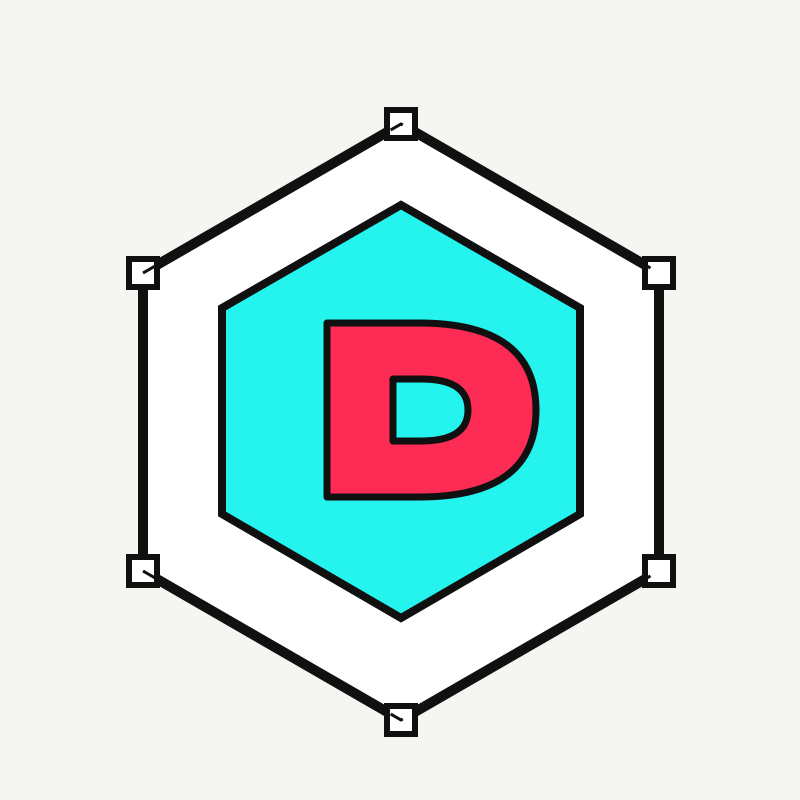
Your generated file will replace this sample.
How do you use this AI SVG Logo Generator?
Follow these three steps from brief to download. The controls show the exact credit cost before generation begins.
- Write a focused logo brief with the name, symbol, mood and color limits.
- Optionally upload one visual reference that you have the right to use.
- Generate for 8 credits, download the SVG, and refine it in a vector editor.
How does an AI SVG logo generator work?
An AI SVG logo generator turns a written brand brief into scalable vector artwork. You describe the name, symbol, geometry, mood and color limits; the tool interprets that direction and returns an SVG file. A reference image is optional and should communicate general visual direction, not ask for a copy of an existing identity.
Start with the business or project idea before naming a visual style. “A neighborhood bicycle repair shop, dependable and quick, with a two-color wheel-and-wrench mark” gives the SVG logo generator a job to solve. Add constraints such as “legible at 24 pixels” or “no gradients” only when they matter to the final use.
Why does native editable SVG matter?
Native SVG matters because paths and fills can be refined without losing sharpness. The AI SVG logo generator requests vector output directly, so a compatible editor can inspect groups, change colors, simplify curves and prepare separate lockups. You are not tracing a small bitmap after generation.
The Images 2.6 introduction lists SVG among its supported outputs. Read the SVG output announcement. Direct support is useful, but it does not remove the need for craft. Inspect every path, delete hidden shapes, outline or replace unavailable fonts, and test the result on light and dark backgrounds. A generated file is a starting point for a real identity system.
What can you make with a vector logo generator?
Use the AI SVG logo generator for simple wordmarks, badges, app icons, event marks, podcast covers, creator identities and early brand directions. It is strongest when the concept can be expressed with a clear silhouette and a limited palette. It is less suitable for a detailed illustration that only happens to be saved as SVG.
For a wordmark, specify the exact spelling and request generous spacing. For an icon, explain which idea must remain visible at small sizes. For a badge, name the outer shape and hierarchy. An AI logo maker SVG prompt can include negative instructions such as “no mockup, no background, no shadows,” which keeps the delivered artwork closer to a usable mark.
The broader AI design market includes tools with free daily usage. Recraft’s pricing information describes a free plan with daily credits, though limits and terms can change. Check Recraft’s current pricing and free allowance before comparing it with this fixed 8-credit workflow.
How do you export and download an SVG logo?
Generate the mark, wait for the result panel, then use the download link to save the SVG. The AI SVG logo generator returns a file that browsers can preview and vector editors can open. Keep the original generation, then make a working copy before simplifying paths or converting type.
Test the exported logo at favicon size, navigation size and a large print size. Confirm that fills use intended colors, strokes scale correctly, transparent areas are actually transparent and no raster image is embedded unexpectedly. Create monochrome and reversed versions yourself so the identity remains usable in constrained contexts.
Can you use an AI-generated SVG logo commercially?
Commercial use depends on the rights attached to your prompt, reference material and final design, as well as the law where you operate. The AI SVG logo generator cannot promise that a result is unique, registrable or clear of another party’s rights. Treat its output as a design draft that needs review.
Search relevant trademark databases before adopting a mark. Look for visual similarities, similar names and related goods or services. Never upload a competitor logo and ask for a near copy. For a business-critical identity, ask a qualified trademark professional for advice before launch; an automated similarity check is not legal clearance.
How much does SVG logo generation cost?
Each completed SVG request costs 8 credits. The amount appears beside the Generate button, and the AI SVG logo generator stays disabled when image generation is unavailable. Writing a brief, selecting a reference and reviewing the educational guidance do not spend credits.
For raster artwork or animated output, use the multi-format image generator. To turn artwork into motion, try the AI GIF maker. You can also explore the Darts 170 AI template and Hotel Lobby AI generator for fixed short-video formats.
What should you know before using AI SVG Logo Generator?
These answers cover cost, output rights and the practical limits people check before starting a generation.
Does the AI SVG logo generator create editable files?
Yes. The result is requested as SVG, so compatible vector editors can inspect and edit its paths, fills and groups. Always review the file before production use.
Can I use the generated logo commercially?
Commercial use depends on your rights to the prompt, references and final design, plus the laws that apply to you. Review the result and obtain professional advice when the logo is business-critical.
Will the result be trademark-safe?
No automated logo tool can guarantee trademark clearance. Search relevant trademark databases and ask a qualified professional before adopting a generated mark.
How much does SVG logo generation cost?
One SVG generation costs 8 credits. The cost is shown before you start, and the button remains disabled when generation is unavailable.
Can I add a reference logo?
You may add one reference image that you own or have permission to use. Use it for general direction, not to copy a protected logo or impersonate another brand.