
Hotel Lobby AI Generator: Take the Left Performer Role
Hotel Lobby AI puts one selfie into the left performer role while preserving the woman on the right and the original orange-booth performance.
Solo · 1 selfie · Landscape 16:9
- 1Cast your characters
- 2Output format
- 3Your video
Hotel Lobby AI

The Hotel Lobby AI scene and format.
Your video
Your completed video will appear here after generation finishes.
What Is the Hotel Lobby AI Trend?
The Hotel Lobby AI trend is a short video format built around a famous performance: two rappers in a plain orange booth, delivering the 2022 song Hotel Lobby. Despite the name, nothing happens in a hotel. The scene is just the booth, two people and a lot of attitude.
In this Hotel Lobby AI version, the performer on the left is replaced with the person in your selfie while the woman on the right stays unchanged. The result keeps the same performance with one new cast member. That contrast is the joke, and it is why Hotel Lobby AI clips spread so quickly across TikTok, Reels and Shorts.
How the Hotel Lobby AI Generator Works
Most Hotel Lobby AI tutorials describe a manual workflow: cut the source clip, run a face swap, fix the motion, then line everything up again. The Hotel Lobby AI generator on TrendMeIn does those steps for you in one render.
The template starts from the original booth performance. You give it one selfie for the performer on the left. The AI replaces only that performer while preserving the woman on the right and keeping the booth, the camera angle, the gestures and the timing of the original. Because the scene is pre-configured, there is no prompt to write and nothing to edit afterwards.
This is different from a general prompt-based generator, where you would have to describe the booth, the outfits and the moves in words and hope the result looks close. With Hotel Lobby AI, the scene is already decided; your only job is choosing a good selfie.
How to Make a Hotel Lobby AI Video
Step 1: Choose the person for the left role
Choose the person who will replace the performer on the left. The woman on the right remains exactly as she appears in the reference.
Step 2: Upload one clear selfie
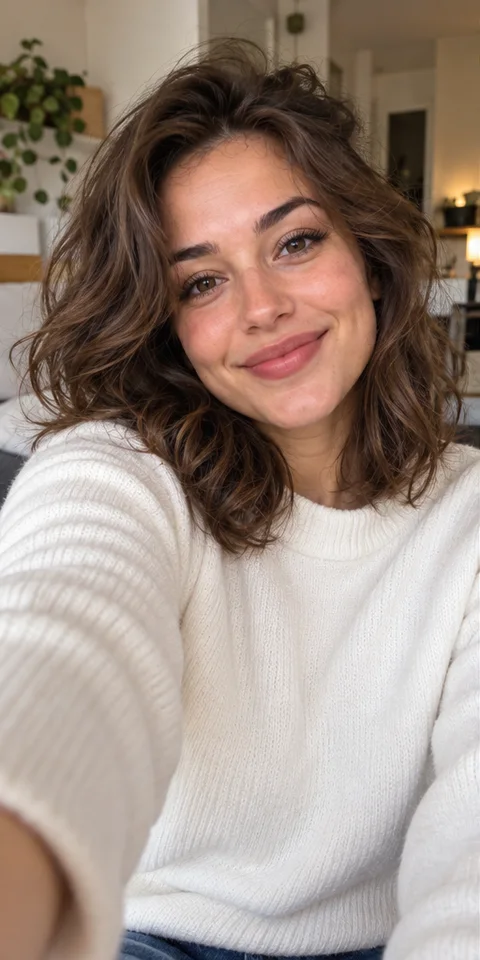
Drop one clear selfie into the left-performer slot. Use a picture of exactly one person with their face, hair and outfit visible.
Step 3: Generate and post
Press Generate. The page shows progress while your Hotel Lobby AI video renders, and the finished clip is saved to My Videos, so you can leave and come back. Download it and post it to TikTok, Instagram Reels or YouTube Shorts.
Hotel Lobby AI Photo Tips
Hotel Lobby AI rebuilds the left performer from a single picture, so the clearer that picture is, the more your result will look like you.
- Face the camera with both eyes visible and nothing covering your face.
- Use soft daylight or an evenly lit room. Harsh shadows make it harder to read your features.
- Crop to one person per picture. Group shots confuse the slot.
- Skip heavy beauty filters, sunglasses and very low-resolution pictures.
- Choose a selfie whose lighting can blend naturally into the warm booth scene.
Who to Cast in Your Hotel Lobby AI Clip
The best Hotel Lobby AI clips come from an unexpected person taking the left role. A few ideas that work well:
- You and your best friend, trading lines like a real duo.
- Two siblings, especially if one of them would never rap in public.
- A couple, for an anniversary post that is not the usual slideshow.
- Two teammates or coworkers, for a team account or a farewell message.
Before you upload anyone else, ask them. Everyone in a Hotel Lobby AI clip should know their face is going in.
Hotel Lobby AI vs a Manual Edit
Doing the trend by hand is possible, but it takes several tools and a good amount of patience. The comparison below shows where the time goes.
- Manual edit: find and trim the source clip, swap each face, repair motion and lip movement, then export.
- Hotel Lobby AI: upload one selfie, press Generate, download the finished clip.
- Manual edit: results depend on your editing skills and the tools you own.
- Hotel Lobby AI: the scene, framing and timing are fixed by the template, so results stay close to the original.
Posting Your Hotel Lobby AI Video
Your Hotel Lobby AI video uses the reference clip's landscape 16:9 frame. Clips export without the original audio, so open the app you post to and search its sound library for Hotel Lobby. Using the in-app sound also helps your clip show up next to other posts in the trend.
Keep your caption short, tag your co-star, and leave a little room at the bottom of the frame, because each app places its own buttons there.
Hotel Lobby AI FAQ
What is Hotel Lobby AI?
Hotel Lobby AI is the AI version of the orange-booth rap performance trend. You upload one selfie and the AI replaces the performer on the left while preserving the woman on the right.
How do I do the Hotel Lobby AI trend?
Open the Hotel Lobby AI generator at the top of this page, upload one selfie for the left performer, then press Generate.
Do I need two selfies?
No. This version replaces only the performer on the left, so it asks for one selfie.
Is there a Hotel Lobby AI app?
You do not need to install anything. The Hotel Lobby AI generator runs in your browser on a phone or a computer.
Does the clip include the song?
No. The download has no soundtrack, so pick the song inside TikTok, Instagram or YouTube when you post.
Is the video filmed in a real hotel?
No. The original performance takes place in a plain orange booth, and the Hotel Lobby AI template recreates that booth.
How long does a Hotel Lobby AI render take?
It depends on the queue. The page shows progress, and every finished Hotel Lobby AI video is saved to My Videos, so you do not have to keep the tab open.
Why does my Hotel Lobby AI result not look like me?
Usually the selfie is the cause. Try a sharper, front-facing picture in even light with no filter, then run Hotel Lobby AI again with the new picture.
Can I use someone else's picture?
Only with their permission. Do not upload pictures of children, celebrities or public figures.
Is TrendMeIn connected to the original video?
No. TrendMeIn is an independent site and is not affiliated with the original performers or the original performance.
Using Hotel Lobby AI Responsibly
Hotel Lobby AI is meant for fun, personal clips. Only upload your own face or the face of someone who has agreed to it, and do not present a generated clip as real footage. When you post, a short note such as made with AI lets your followers know what they are watching.
More Trending Templates
View all AI video templates

Ready to Make Your Hotel Lobby AI Video?
Add one selfie and let Hotel Lobby AI put that person into the left performer role.
Start your clip